Monday, 14 June 2021
LAB 9 Arduino with LCD (16 by 2) || Arduino Series || Project || Circuit Diagram || Code

Friday, 23 April 2021
LAB 8 PWM using Arduino (LED and Buzzer) || Arduino Series || Circuit Diagram || Code || Project
LAB 8 PWM using Arduino (LED and Buzzer) || Arduino Series || Circuit Diagram || Code || Project
LAB 10 Display Counter using Arduino || Arduino Series || LCD Display || Code || Circuit Diagram
LAB 10 Display Counter using Arduino || Arduino Series || LCD Display || Code || Circuit Diagram
Tuesday, 23 March 2021
FSK Modulation - Demodulation || Lab Experiment || Frequency Shift Keying || Practical || Modulation
Here
I have explained Frequency Shift Keying Modulation and Demodulation. You can find theory as well as practical portion.Saturday, 10 October 2020
Guidelines to use Zoom App (For Faculty)
Guidelines to use Zoom App (For Faculty)
Step 1:
Always Schedule the meeting. It will keep your Login link, User Id and Password same every time. (So your saved default settings will be remain as it is)
(If you are creating New Meeting, It will not going to apply your saved default setting. Every time you have to set your required setting manually)
Step 2:
Keep one students list in hard copy with you. Check and allow if the name and roll no is from the class only.
Keep habit of taking attendance by name only (don’t take it by Er No). Guide students to keep their DP image where face could be seen clear. (like a passport size photo)
(Instruct Students to set their name as per the format: Erno_name_surname
After 5 minutes of starting make waiting room option enable. You can find in option in participants dialog box.

Step 3: Disable the option “Allow Participants to Rename Themselves“. You can find in option in participants dialog box.

Step 4: Set Chat option to “Host Only“. You can find this option in chat dialog box.

Step 5: If you are using screen sharing option then “Disable participants annotation”.

OR
You can keep use this option “Show Names of Annotators”

Step 6: You can share your computer sound with the students using “Share computer sound”.

The other common guidelines you might be already aware.
Subscribe to:
Posts (Atom)
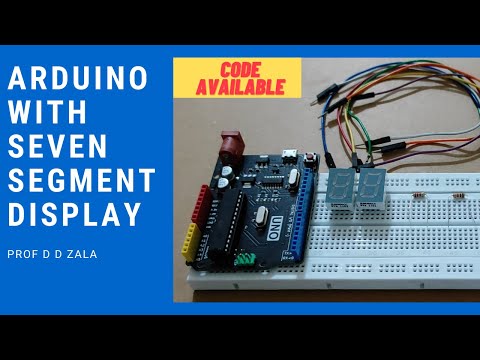
LAB 7 Arduino with Seven Segment Display || Arduino Tutorial || Code and Circuit Diagram || Project
LAB 7 Arduino with Seven Segment Display || Arduino Tutorial || Code and Circuit Diagram || Project Dear All We will learn how to Connec...
-
Dear Here I have explained how you can increase the default track width. If you are doing the etching process at your home, you need a ...
-
 Que: Write a program to check whether the entered string is palindrome or not. A palindrome is a string, which when read in both forwa...
 -
 Que: Write a program to sort a one-dimensional array in ascending order Code: #include <stdio.h> int main() { int arr[1...
